Performance Marketing | Bot Blocking

Stop Wasting Ad Spend On Bots
Boost Your ROAS With Adstech

It’s time to take control of your ad budget and make every click count.
AdsTech is here to help you cut out the noise, block fake traffic, and get real
results from your paid campaigns.
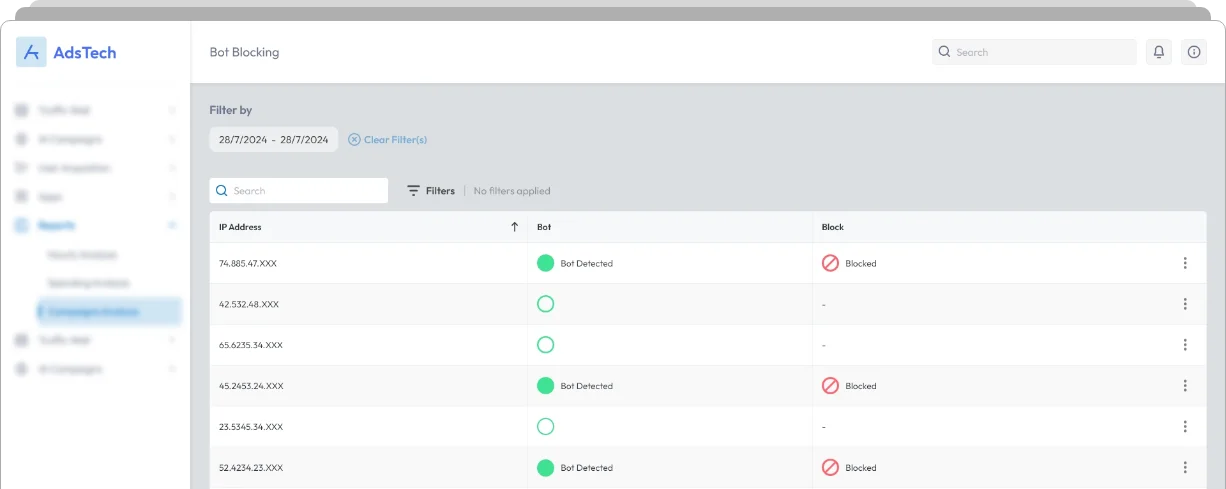
AdsTech dashboard interface showing bot blocking system with IP addresses, bot detection status, and blocked traffic

Your Budget
Deserves Better

Did you know that 80% of ad spend can be wasted without precise targeting
and real-time adjustments? Our solution uses AI to scale and boost campaign results
across platforms.

Your Benefits

Maximize Your ROAS
With Bot Blocking Tech

Bots can impact your Google Ads performance by generating non-human clicks.
Our solution detects and excludes bot traffic from campaigns, ensuring real users see ads.
Dollar coin icon representing revenue or payments
Turn Waste Into Revenue
Block bots and ensure only real users
see your ads. Our bot blocking stops
fake clicks in real-time, safeguarding
your budget across ad platforms.
Upward arrow icon representing growth and performance increase
Maximize Marketing ROI
Turn wasted ad spend into
revenue by boosting conversions
and cutting out non-converting
clicks. Make every dollar count.
Magic wand icon representing optimization or automation
Enhance Ad Quality
Drive better performance and
higher ad scores with quality
traffic. Get more from your ad
spend.

Bot Blocking Technology

Improve Traffic Quality And
Optimize Ad Spend In No Time

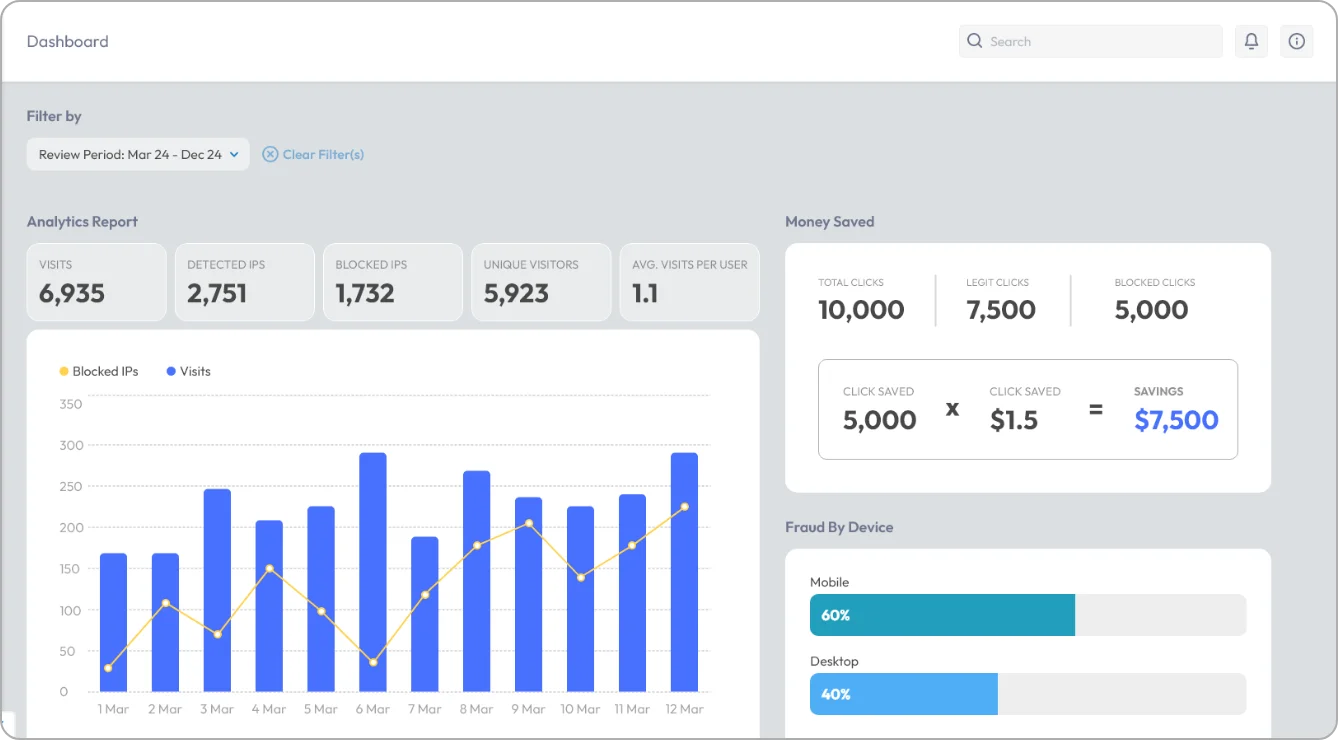
Analytics dashboard showing traffic metrics, blocked IPs, fraud detection, and money saved report

Bot Detection

Our bot blocking monitors each click without, sorting
suspicious activity from genuine clicks to protect your ads
without blocking real customers.

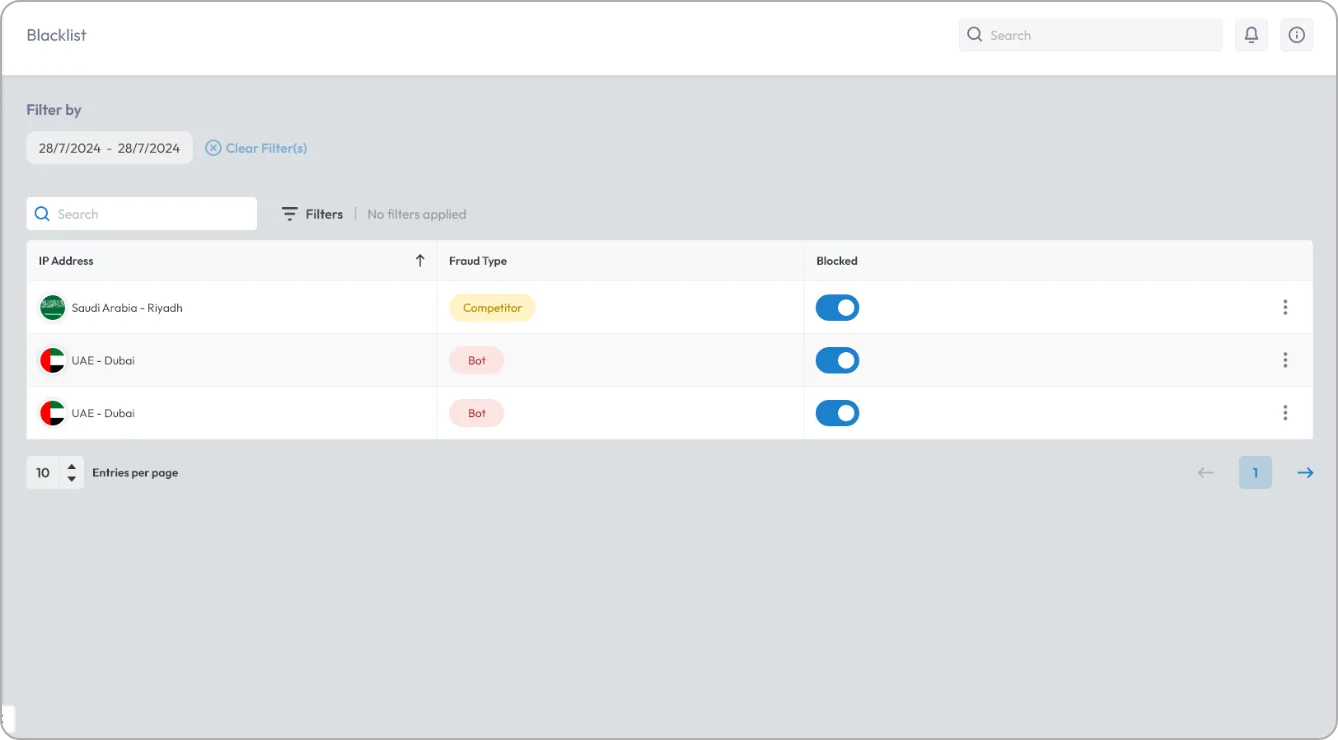
Automatic Blocking

Fraudulent IPs are detected and automatically excluded
from your Google Ads campaigns within seconds, keeping
the budget protected and campaigns on track.
Blacklist management dashboard showing blocked IP addresses, fraud types, and location details
AdsTech logo with stylized A icon and brand name

In addition to the default protection

Google Ads logo with multicolor A symbol and text

Default protection

Meta logo with infinity symbol and brand name

Default protection

Real-time blocking
Green checkmark icon indicating success or approval

Only after 24 hours

X symbol for disable or turn off
Click threshold limitations
Tick icon showing verified or validated state
Close icon with X symbol indicating cancel action
Cross symbol representing remove or dismiss
Visitors Analytics

30+ data points per click

X mark icon indicating error or rejection
Cancel symbol used to close or exit
Exclude VPN traffic
Confirmation checkmark symbol representing completed action
Dismiss icon with cross mark
Delete action icon represented by X mark
Industry-based data
Checkmark badge representing correct or accepted result
Close button icon with cross
Exit icon indicating stop or end action
Auto populate IPs on exclusion list
Auto exclude IPs and users on Google and Facebook ads
Incorrect symbol shown as X mark
Cross icon representing block or deny
Fraudulent behavior session recordings

All sessions recorded

Reject icon with cross mark
Stop action icon with X symbol